Your lock screen, in glowing dots
Dotify is a free always-on display for Android. Pick a dot matrix face, or draw your own, and see the time, date and battery whenever your screen turns off.
Get it on Google PlayFree · 45+ faces · 13 languages
A face for every mood
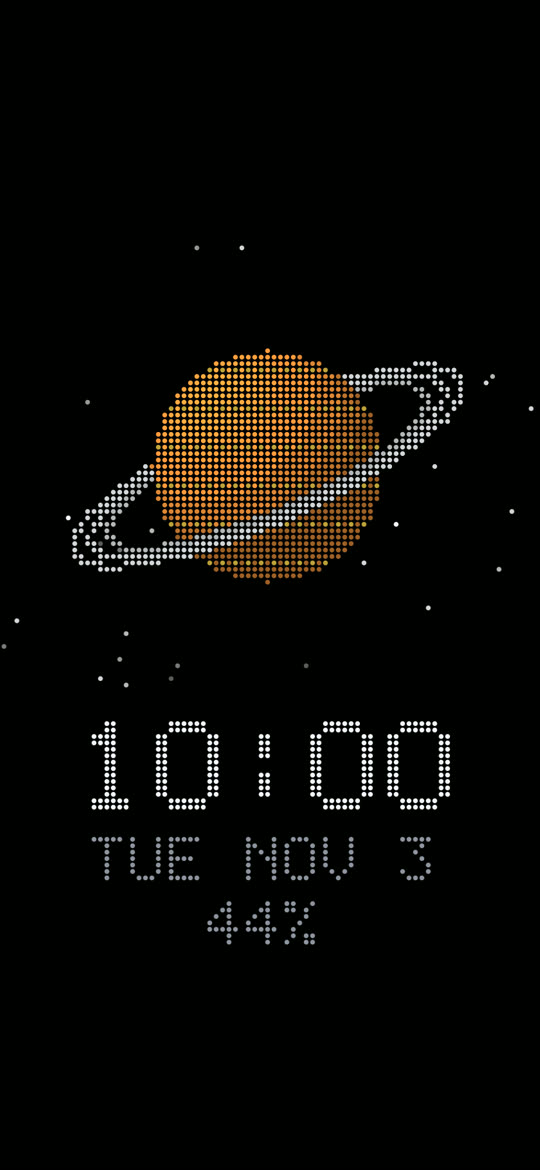
Every dot is drawn live on your screen, sharp at any size.
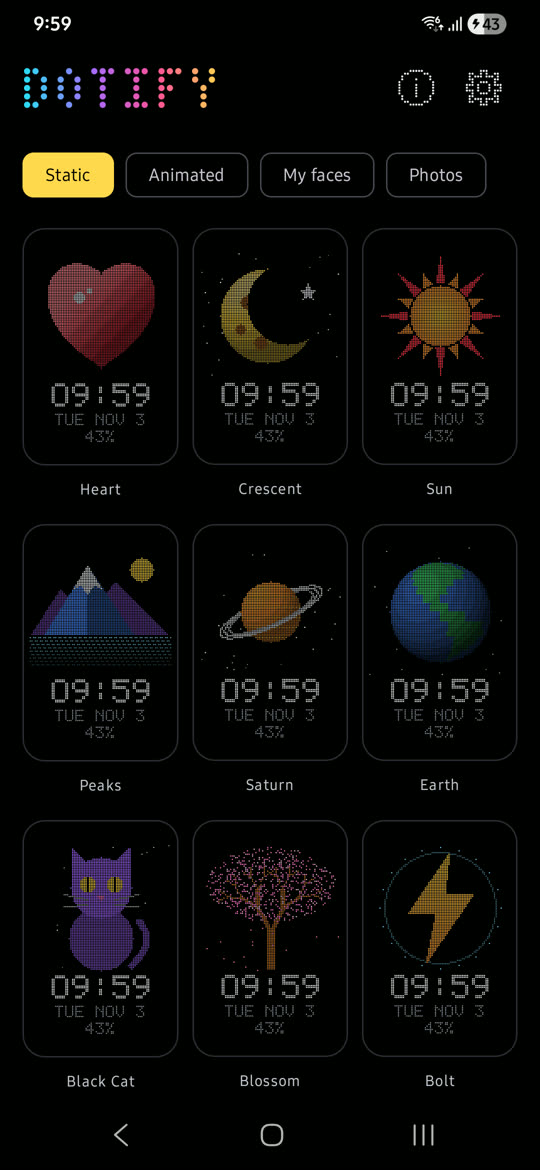
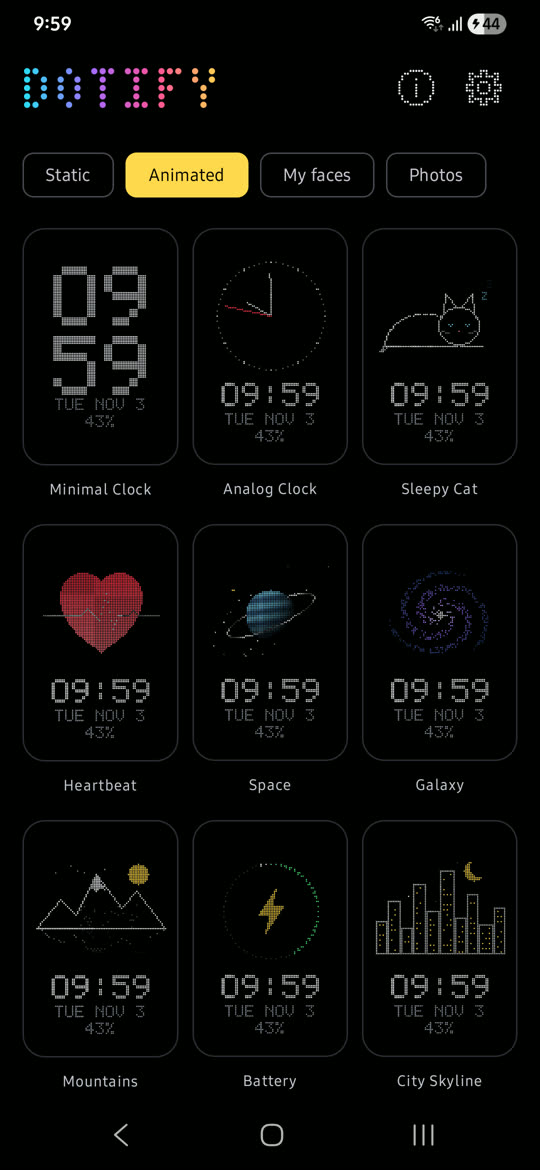
Static and animated faces
Hearts, planets, cats, blossoms and more, plus faces that move: a spinning galaxy, a beating heart, falling snow.
Draw your own
Paint a face dot by dot, or start from any static face and make it yours.
Photo faces
Turn a photo into dots, in black and white or colour, and remove the background on your phone with one switch.
Your colours
Change any colour on a face, including the clock, date and battery, then reset whenever you like.
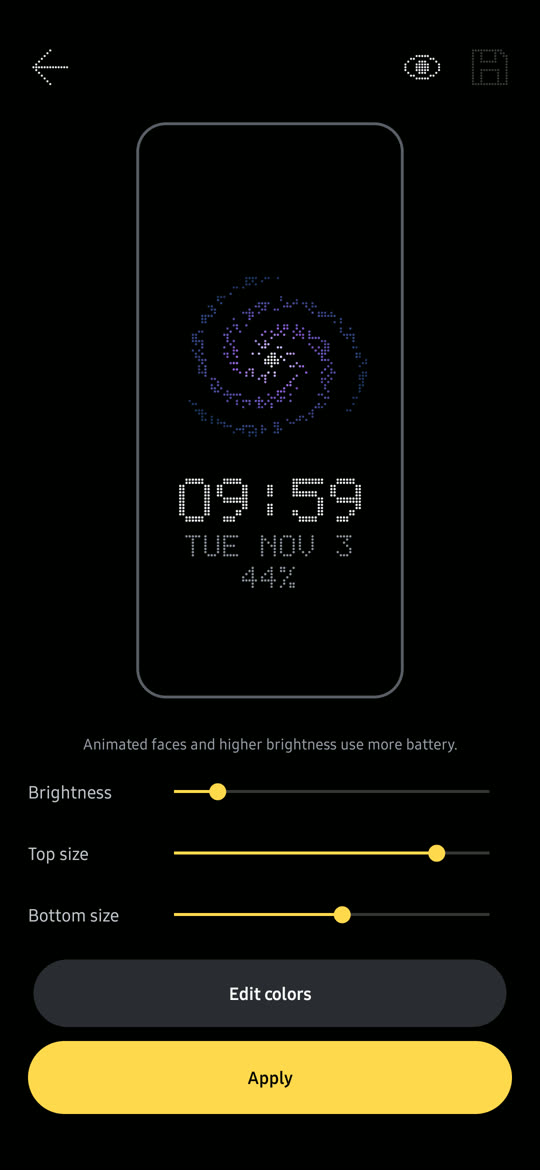
Size and brightness
Resize the picture and the clock separately, set the brightness, and preview it all before you apply.
Speaks your language
English, Hindi, Spanish, Portuguese, Indonesian, German, French, Japanese, Korean, Chinese, Russian, Arabic and Turkish.
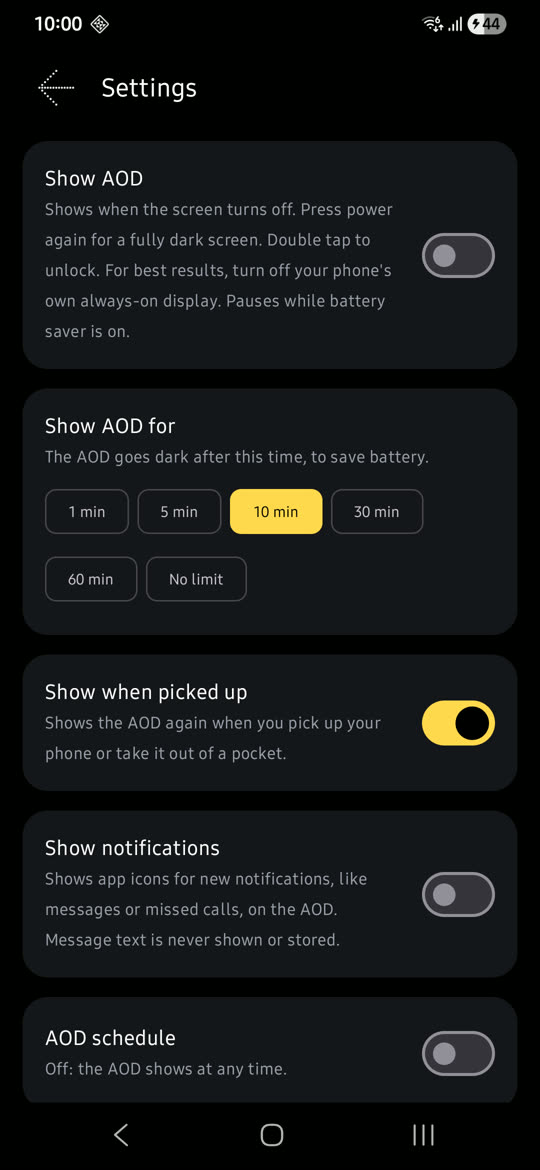
See it on your phone
Real screens from Dotify on an Android phone.
Smart about your battery
Dotify only shows when it's useful, and steps aside when it isn't.
- Goes dark face down or in a pocket
- Pick up to see it again after it times out
- Show it for 1 to 60 minutes, or with no limit
- Schedule the hours it shows
- Pauses in battery saver and below the battery level you choose
Questions
How does Dotify show when the screen is off?
When you turn the screen off, Dotify shows your face over the lock screen on a black background. Press power again for a fully dark screen, or double tap to unlock.
Does it use a lot of battery?
Android doesn't let apps use the phone's own low-power always-on mode, so Dotify keeps the screen on at low brightness. Animated faces and higher brightness use more battery. On AMOLED screens, faces with more black use less. You choose how long it shows, and it goes dark face down, in battery saver and when the battery is low.
Should I turn off my phone's own always-on display?
Yes, for the best results. Two always-on displays at once can get in each other's way.
Are my photos uploaded anywhere?
No. Photo faces, including background removal, are made on your phone. Only the finished dots are kept, not the photo.
Is Dotify really free?
Yes. Every face is free to use. Editing colours, drawing faces and photo faces unlock for 24 hours after one short ad.
Give your screen some glow
Dotify is free on Google Play, for Android phones and tablets.
Get it on Google Play